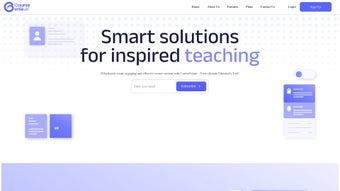

Download CourseGenie – AI-Powered Course Creation Tool for Educators
CourseGenie is a revolutionary AI-powered web application designed to transform how educators create, manage, and share course content. With intelligent automation for lesson planning, quiz generation, and material creation, this software drastically reduces the time and effort required in course development. Whether you're teaching in a high school, university, or corporate training environment, CourseGenie streamlines administrative workflows, allowing teachers to focus more on student engagement and less on repetitive tasks.
The platform supports seamless content organization, real-time editing, and dynamic re-generation of course materials. Its cross-device accessibility via any modern web browser makes it ideal for educators on the go. With built-in collaboration tools, translation services, and export options to Word, CourseGenie ensures your content stays flexible, secure, and up-to-date across all platforms.
Explore the free version today and discover how AI can elevate your teaching experience.
Streamline Course Creation with Intelligent Automation
One of the standout features of CourseGenie is its ability to automate the most time-consuming aspects of course development. Traditional lesson planning often requires hours of research, outlining, and content structuring—tasks that can quickly become overwhelming, especially for educators managing multiple subjects or large class sizes. CourseGenie eliminates this burden by leveraging advanced artificial intelligence to generate comprehensive lesson plans based on your input. Simply enter your course topic, learning objectives, or even a rough outline, and the platform instantly produces a structured, pedagogically sound lesson plan complete with learning outcomes, activities, and suggested timelines.
But it doesn’t stop there. CourseGenie goes beyond basic planning by automatically generating quizzes, discussion prompts, and interactive activities tailored to your course content. These materials are not generic templates—they adapt to your specific subject matter, ensuring relevance and educational value.
For instance, if you're teaching biology, the AI will create multiple-choice questions with scientifically accurate answers and explanations. If you're in a humanities course, it can generate essay prompts that encourage critical thinking. This level of customization ensures that every resource aligns with your teaching style and curriculum goals.
Another powerful automation feature is the ability to regenerate content with a single click. If a lesson isn’t working as expected or you want to refresh your materials, CourseGenie lets you re-generate entire sections—lessons, quizzes, or activities—without starting from scratch. This dynamic flexibility makes it easy to iterate and improve your course over time. Whether you're updating content for a new academic year or adapting to student feedback, CourseGenie ensures your course remains fresh, effective, and aligned with modern educational standards. The entire process is secure, cloud-based, and accessible from any device with a web browser—no downloads required.
Enhanced Collaboration & Content Management for Educators
CourseGenie isn’t just a solo tool—it’s built with collaboration in mind. Educators often work in teams, especially in larger institutions or curriculum development departments, and sharing course materials can be a logistical nightmare. CourseGenie solves this by offering seamless content sharing through unique, secure URLs. You can easily generate a link to your course or specific lesson and share it with colleagues, administrators, or even external partners. This feature is particularly useful for peer reviews, collaborative curriculum design, or training new instructors.
Additionally, the platform supports smooth import and export functionality with Microsoft Word, making it simple to integrate with existing workflows. You can export your course outlines, lesson plans, or quiz banks directly into Word documents for printing, sharing, or further editing in familiar software. This compatibility ensures that you’re not locked into a single ecosystem and can maintain flexibility across different platforms and devices. Whether you're working on a Mac, Windows PC, tablet, or even a smartphone, CourseGenie adapts to your preferred environment.
Content organization is another major strength. CourseGenie allows you to structure your courses into modules, units, and lessons with drag-and-drop ease. Each component can be tagged, searched, and filtered, so finding specific materials is a breeze.
The platform also includes a version history feature, so you can track changes over time and revert to earlier versions if needed. This is especially helpful when multiple educators are working on the same course. With built-in translation services in the premium plan, CourseGenie also breaks down language barriers, enabling global collaboration and accessibility.
This makes it a powerful tool not only for local classrooms but also for international education initiatives and multilingual teaching environments.
Easy Installation, Usage, and Cross-Platform Compatibility
One of the biggest advantages of CourseGenie is its web-based nature—there’s no need to download or install any software. As a cloud-native application, it runs directly in your web browser, making it accessible from any device with an internet connection. Whether you're using a Windows PC, Mac, Android tablet, or iOS device, you can log in from any location and continue working seamlessly. This flexibility is ideal for educators who work remotely, travel frequently, or need to switch between devices during the day.
To get started, simply visit the CourseGenie website and sign up for a free account. The registration process is quick and secure, requiring only an email address and password. Once logged in, you’ll be guided through a brief onboarding tutorial that walks you through creating your first course, generating lesson plans, and exporting materials. The interface is intuitive and user-friendly, with clearly labeled menus, tooltips, and contextual help. Even educators with minimal tech experience can navigate the platform with ease.
Using CourseGenie is as simple as typing in your course topic and clicking “Generate.” The AI does the rest, producing structured content in seconds. You can then edit, reorder, or enhance the output using the built-in editor. For advanced users, the platform supports custom templates, bulk editing, and API integrations in higher-tier plans. Regular updates are pushed automatically, ensuring you always have access to the latest features and security patches without any manual intervention. Because everything is stored securely in the cloud, your data is backed up and protected, reducing the risk of loss due to device failure or accidental deletion.
Pros and Cons: Is CourseGenie Right for You?
- Pros:
- AI-powered automation saves hours on lesson planning and content creation
- Generates quizzes, activities, and outlines tailored to your subject matter
- Seamless collaboration via shareable URLs and Word export
- Available on Windows, Mac, Android, and iOS via web browser
- Free plan available with robust core features
- Secure, cloud-based storage with version history
- Premium translation service for multilingual education
- Cons:
- Free plan has limited AI generation credits per month
- No native desktop app (web-only access)
- Advanced features require paid subscription
- Dependent on stable internet connection
- Learning curve for educators unfamiliar with AI tools
Frequently Asked Questions (FAQ)
Is CourseGenie free to use?
Yes, CourseGenie offers a free plan with core features like basic lesson generation, quiz creation, and course organization. However, the free version includes a limited number of AI generation credits per month. For full access to advanced tools, translation services, and unlimited usage, users can upgrade to a paid subscription.
Can I use CourseGenie on my mobile device?
Absolutely. CourseGenie is a web application, so it works on any device with a modern browser—including smartphones and tablets running Android or iOS. You can access your courses, edit content, and generate materials from anywhere, making it ideal for on-the-go educators.
Does CourseGenie support export to Word?
Yes, CourseGenie allows you to export your course outlines, lesson plans, and quiz banks directly to Microsoft Word format. This feature is especially useful for printing, sharing with colleagues, or integrating with other educational software.
How secure is my course data on CourseGenie?
CourseGenie uses industry-standard encryption and secure cloud storage to protect your data. All user information and course content are safeguarded with HTTPS, and access is controlled via secure login. Your data is never shared with third parties without your consent.
Can I collaborate with other teachers using CourseGenie?
Yes, CourseGenie supports collaboration through unique shareable URLs and version history. You can invite colleagues to view or edit your courses, and changes are tracked in real time. This makes it perfect for team-based curriculum development or peer review processes.
Conclusion: Upgrade Your Teaching with CourseGenie
CourseGenie is more than just a course creation tool—it’s a comprehensive AI-powered solution that empowers educators to work smarter, not harder. From automating lesson planning and quiz generation to enabling seamless collaboration and cross-platform access, it addresses real pain points in modern education. Whether you're a high school teacher, university lecturer, or corporate trainer, CourseGenie helps you save time, maintain consistency, and deliver high-quality learning experiences.
With its intuitive interface, secure cloud storage, and flexible pricing plans—including a generous free tier—it’s accessible to educators at all levels. While the free version has limitations, the premium options offer powerful features like unlimited AI generation, translation services, and advanced collaboration tools. If you’re serious about streamlining your workflow and enhancing your course content, CourseGenie is a must-try.
Ready to transform your teaching? Download CourseGenie today and experience the future of course creation—fast, smart, and secure.



.png)



